

What are Meeting Reactions?
Inside the Notes tab, Sandi groups the moments that mattered into three categories, each attributed to who said what and who they were responding to:
Objections — where someone pushed back, and on what
What Resonated — where a point landed and was built on
Successes — where a contribution was explicitly recognized
This is the fastest way to see how a conversation went, and it is worth reading before your next meeting with the same people.
How to read your insight report
Open Meetings › Completed or click the arrow beside a meeting on your dashboard.
Check the header — date, start and end time, time zone, duration, attendee count, and which report version you are viewing.
Look at the Relate trust index badge on the left for the meeting's overall level.
Read the Trust Scorecard. Credibility, Reliability and Intimacy show as gauges scored out of 100 with a level underneath; Self-orientation shows as a horizontal bar with its own marker.
Click the small icon beside any factor name to open its detail — the question it answers, the reasoning behind your score, and a concrete "next time, try..." suggestion. This is where the real coaching lives, and it is easy to miss.
Work through the Summary card tabs — Notes, Minutes, Questions and Agenda.
Tick off anything already done in Action Items, and use "Schedule follow-up meetings" if the meeting needs a sequel.
Finish with Talk Ratio.
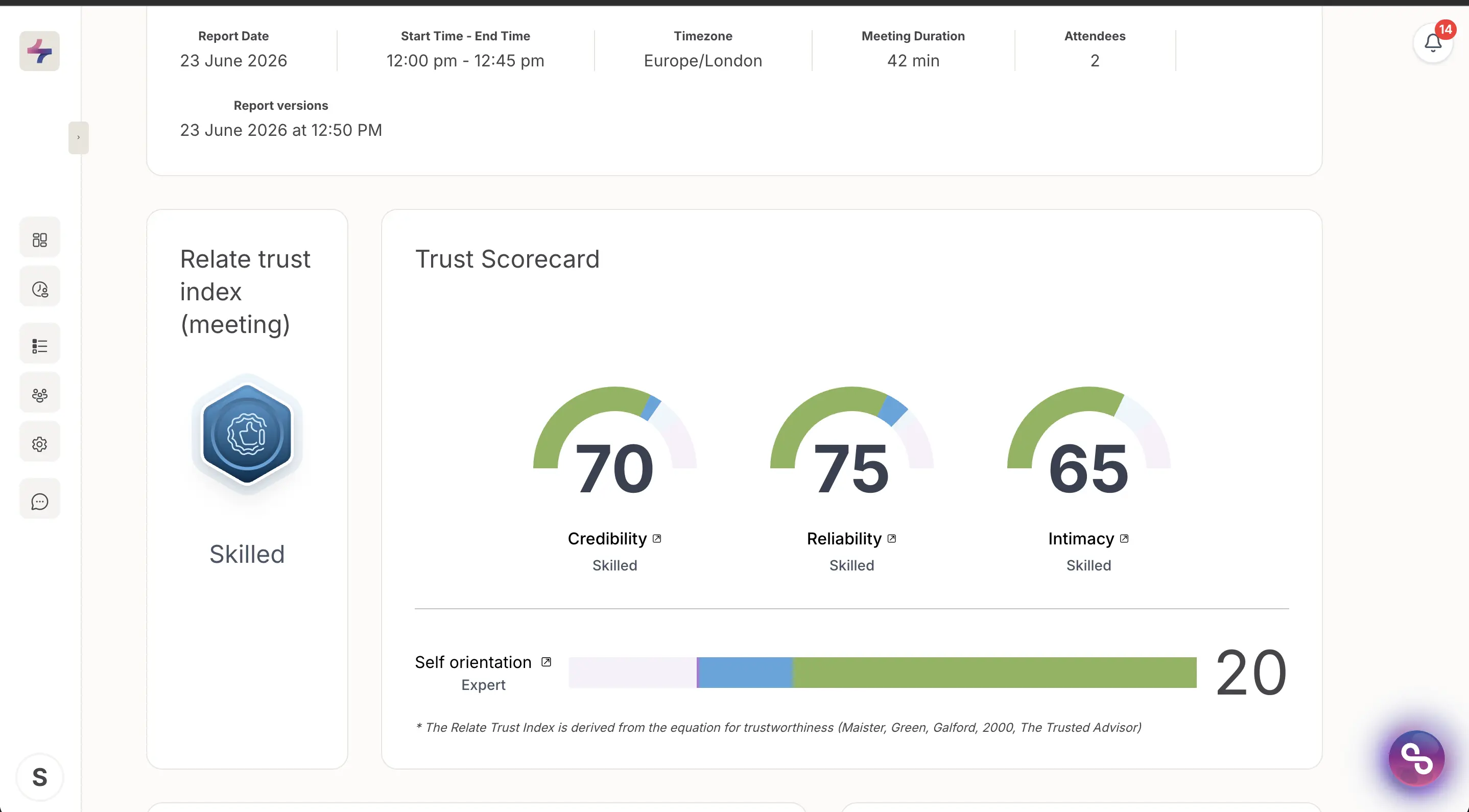
The top of an insight report: the Relate Trust Index badge, the Trust Scorecard gauges and the Self-orientation bar.
How to read the Talk Ratio charts
Two charts sit at the bottom of every report and they answer different questions.
Talk Ratio (left) lists every speaker with their total word count and a horizontal timeline strip beneath, color-coded per person. The tick marks show when that person was speaking across the meeting, so dense clusters are stretches where someone held the floor and gaps are where they were quiet. Reading the strips side by side shows you the shape of the conversation — whether it was a genuine back-and-forth or one person presenting.
My Talk Ratio (right) is a single donut showing your share of the total words spoken.
If the Talk Ratio panel is empty, Sandi could not attribute speech to named participants for that meeting. The Audio / Transcript button is grayed out unless you were the meeting host or the person who invited Sandi.