

How do I use meeting types, and why do they matter?
Every meeting can be tagged with a type from the dropdown under its title. Types are grouped as Internal (Townhall, Project, Standup, Strategy, Team, Training, 1:1, Other) and External (Standup, Sales, Customer Service, Onboarding, Recruiting, Other).
Tagging matters because you can filter your dashboard and your action items by meeting type. Comparing how you show up in external sales conversations versus internal 1:1s is far more useful than one blended average, so it is worth tagging consistently from the start.
How to tag a meeting with a type
Go to Meetings and find the meeting.
Click the type label beneath the meeting title.
Choose a type from the Internal or External group.
Use the Meeting type filter on your dashboard and Action items page to analyze by type.
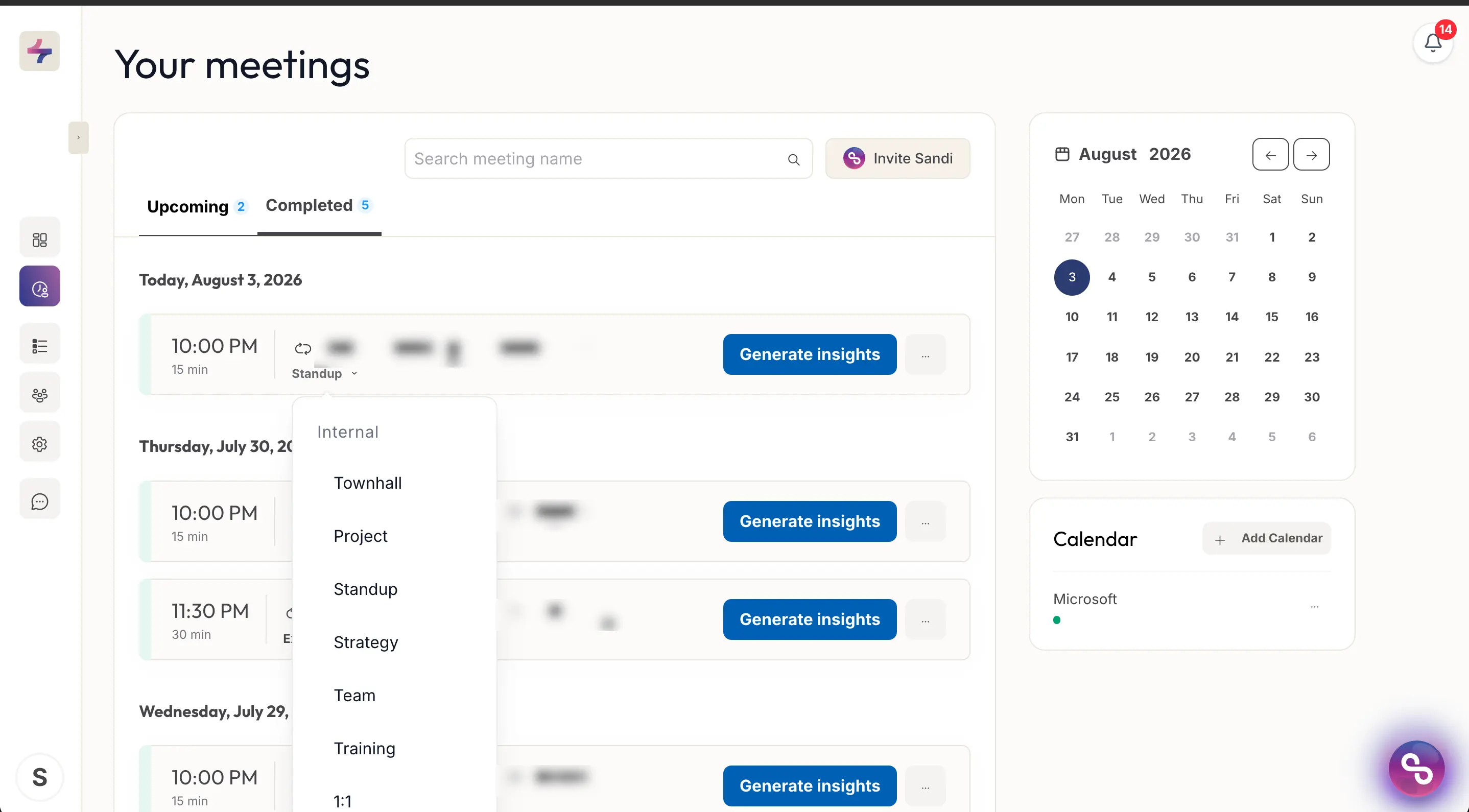
The meeting type dropdown, opened from the type label beneath a meeting title.