

How do I get Sandi into a meeting?
Two ways: pick a meeting from your connected calendar or paste a meeting link. The second works for any call, including ones not on your calendar.
How to invite Sandi from your calendar
Connect your calendar under Account Settings › Integrations if you have not already.
Go to Meetings. Your upcoming events appear under the Upcoming tab.
Select the meeting you want analyzed so Sandi joins it.
How to invite Sandi with a meeting link
Go to Meetings and click Invite Sandi.
Paste the meeting URL — Google Meet, Zoom or Microsoft Teams.
If the meeting is later, tick "Schedule for later".
Click Invite Sandi. Insights are generated after the meeting ends.
Google Meet and Zoom work without additional setup. Microsoft Teams support depends on your organization's meeting settings — see Why does Microsoft Teams behave differently?.
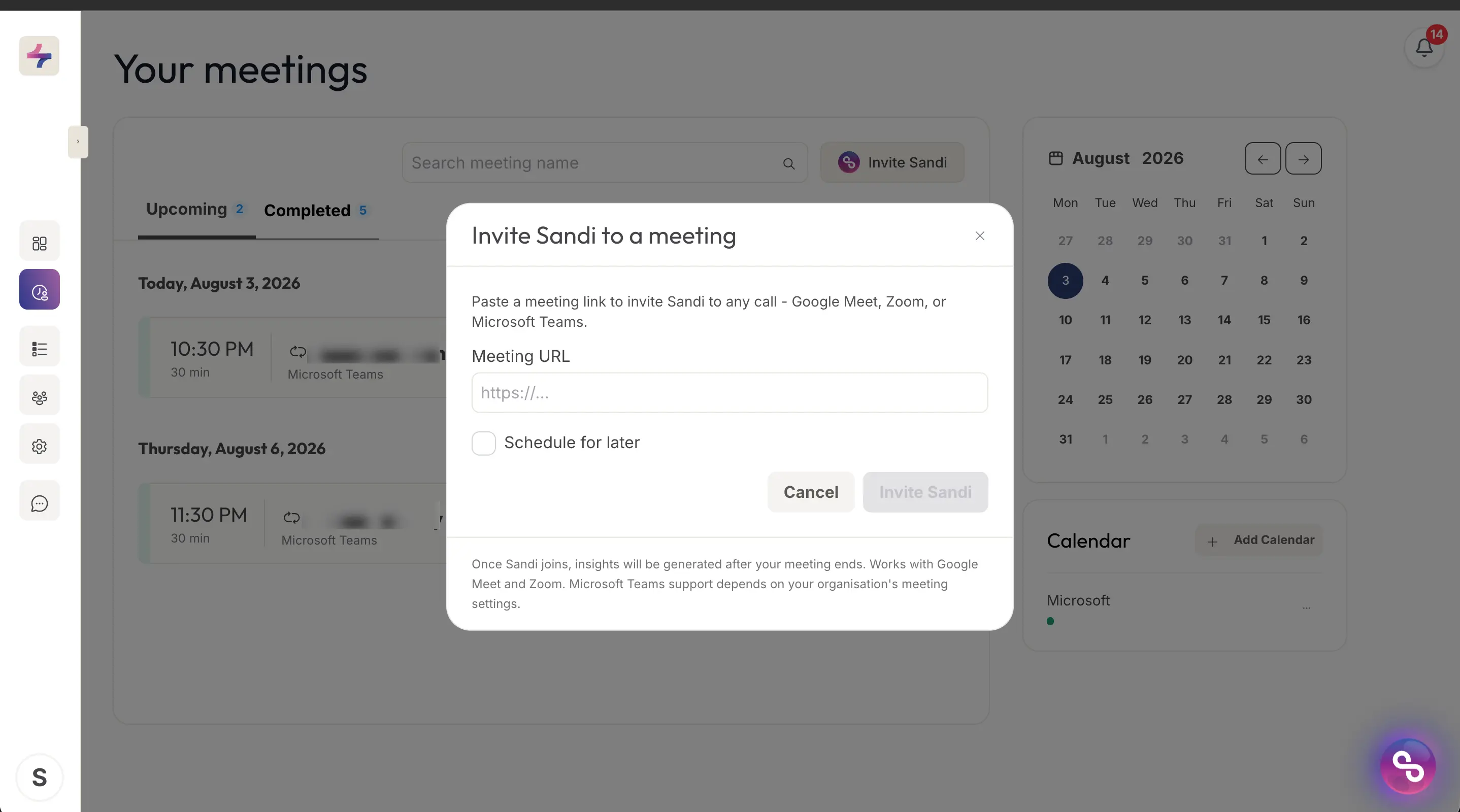
The Invite Sandi dialog, reached from the Invite Sandi button on the Meetings page.